

Google has two separate tools
Lists in Google Maps are for saving quickly. You tap a place, choose a list and you are done. A list can have an emoji as its icon, places can carry notes, and friends can be invited to edit together.
My Maps is a separate editor in the browser. You can draw lines and areas, split points into layers and import data from CSV, XLSX or KML files. Google shut down the My Maps app for Android on 15 October 2021. Since then, maps are edited in a browser, and the Google Maps app shows them at the bottom of the Saved tab.
Most of the mess comes from this split. Ideas saved on the phone end up in lists, while the organised trip map is built separately on a computer.
How MapiGO handles it
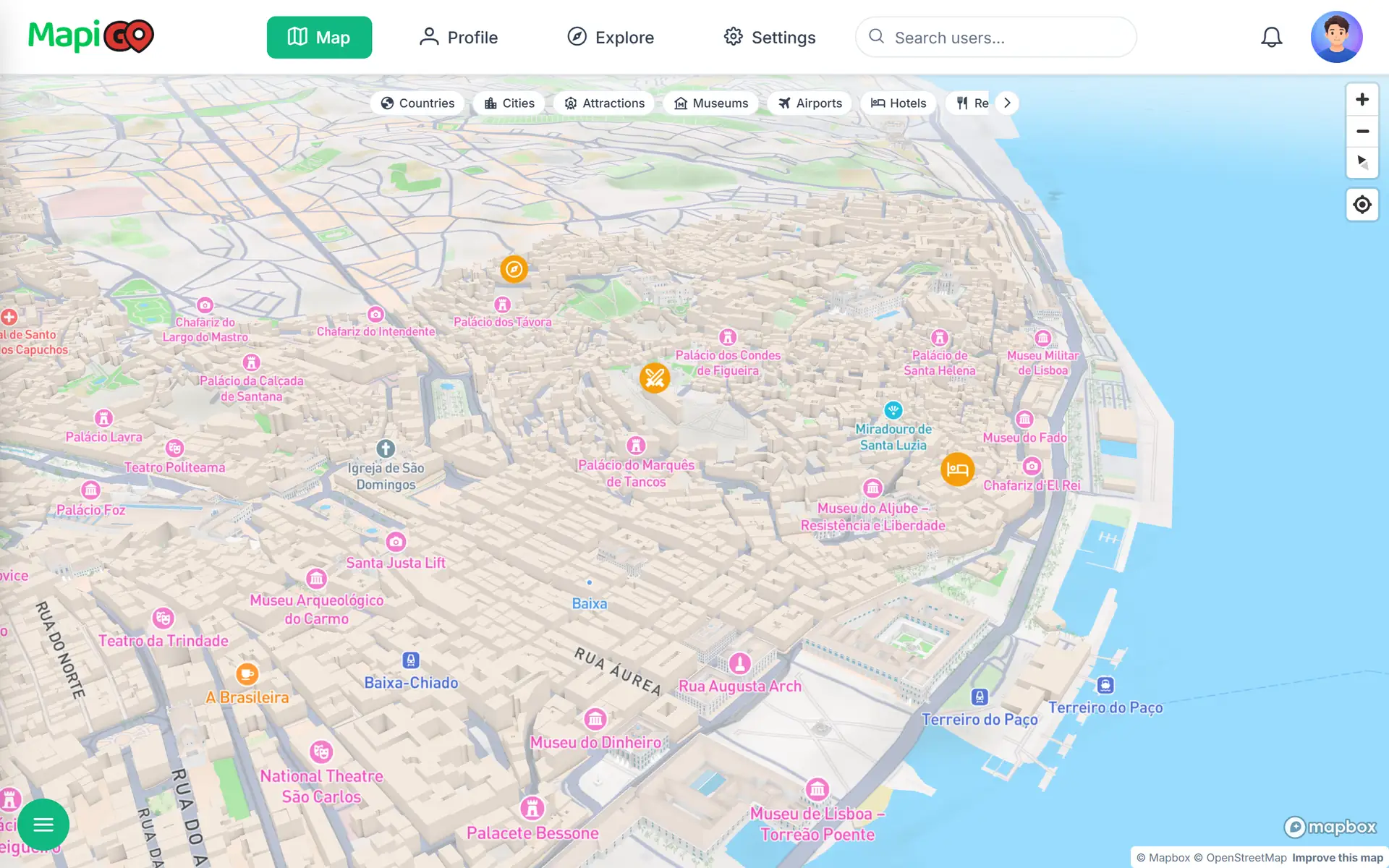
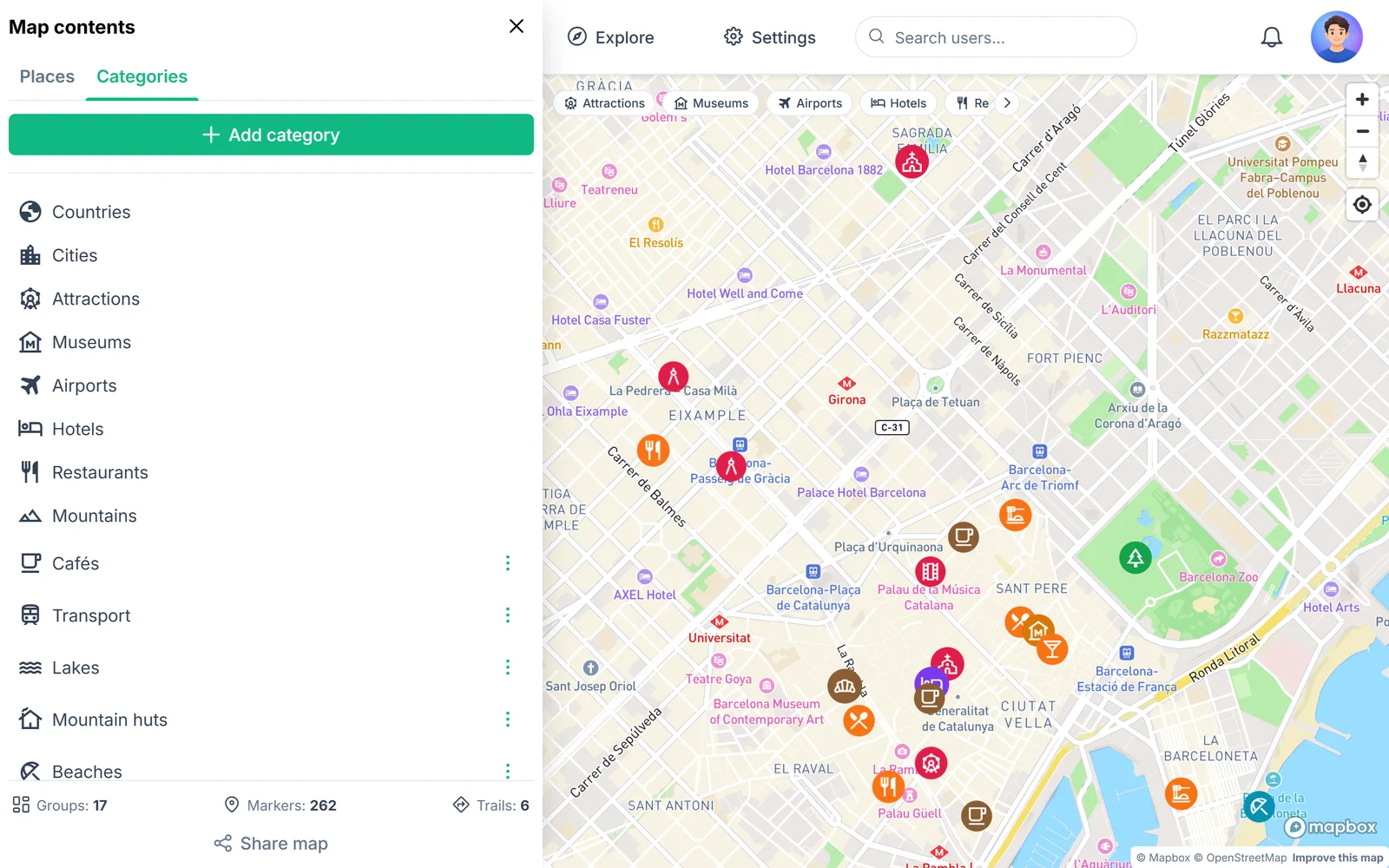
In MapiGO, saving and organising happen in the same place, in the browser and in the Android app. A trip is a group. The type of place is a category with its own icon, and every pin can have its own colour.
You create the categories yourself. On the example map, alongside built-in ones such as Museums and Restaurants, there are Cafés, Beaches and Mountain huts. One place can belong to several groups, and you only edit it once.
Date, rating and a note on each place
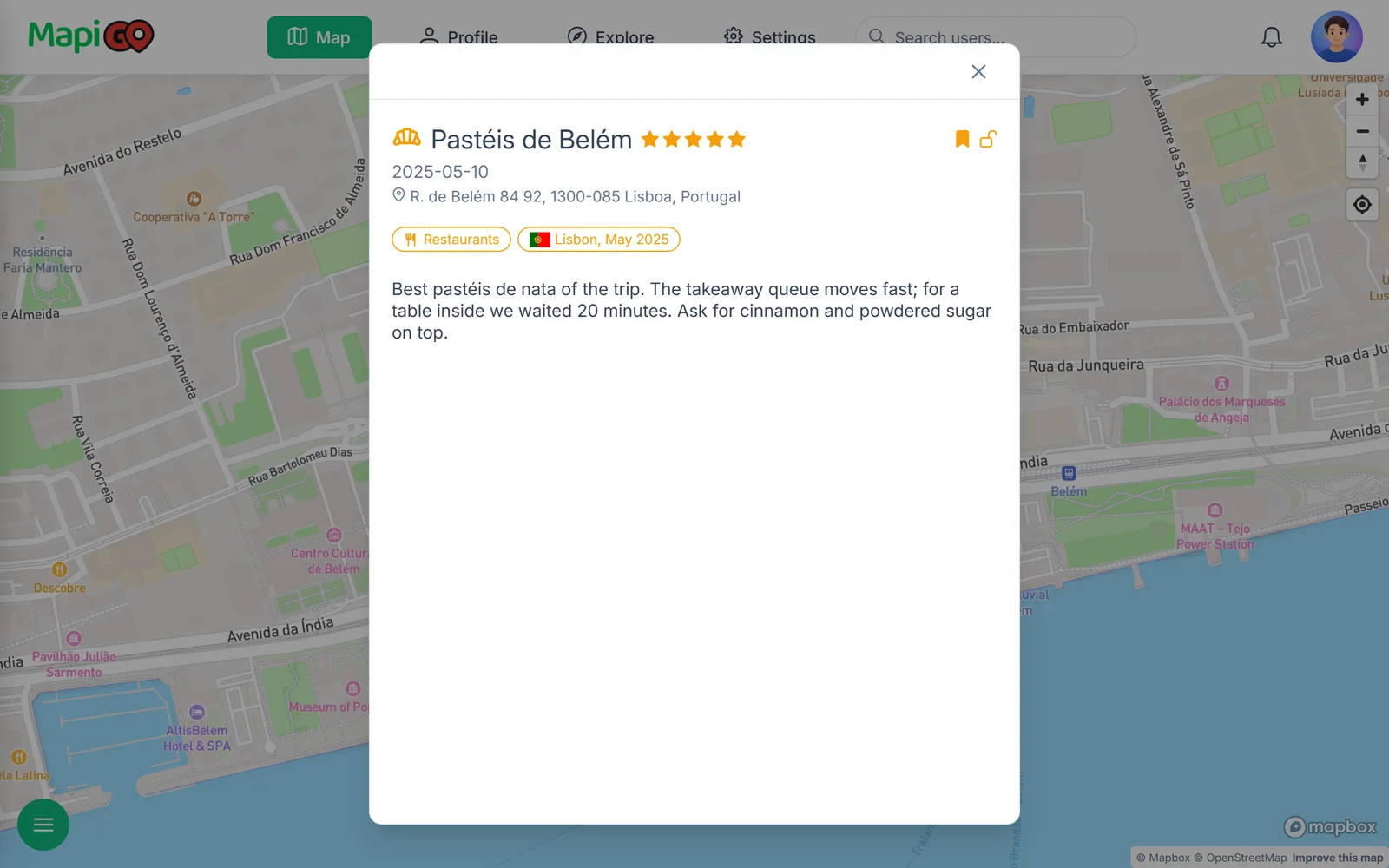
Google lets you add a note to a place on a list. MapiGO adds the date of the visit, a star rating and a favourite flag. On the example map, the entry for Pastéis de Belém records how long the wait for a table was and what to order at the counter.
The details window also shows the category and the group the place belongs to. A year after the trip, it is easy to check which month you were there.
Moving places over from Google
MapiGO does not import Google lists or KML files. Places have to be added by hand, so a few hundred of them means a lot of clicking.
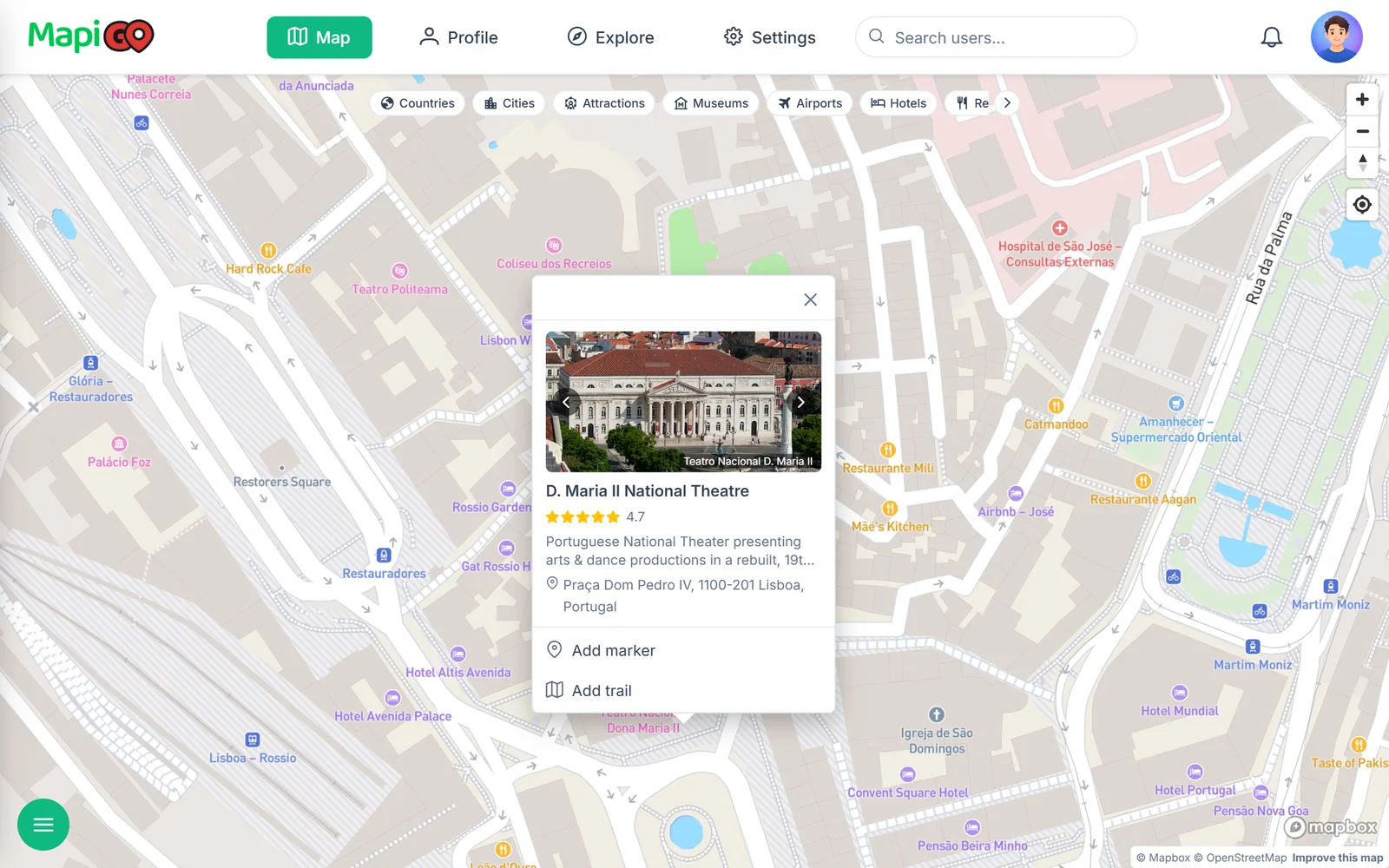
A few dozen go quickly. Click a place name on the map and a Google preview appears with a photo, rating and address. Add marker copies over the name and address. For common place types, such as museums and restaurants, the category is set automatically.
It is also a good chance to drop places saved years ago whose names no longer mean anything to you.
When Google is the better choice
If your points live in a spreadsheet you want to load in one import, if you draw areas, or if you are making a map for a team in Google Workspace, My Maps will do the job better. Google recommends keeping an import file to 2,000 rows or fewer.
MapiGO does not give turn-by-turn directions. You can plan a route and see its length, but you will open a navigation app to drive it.
MapiGO is the better fit for a map meant as a record of your travels, with dates, ratings, routes between points, 3D views and a profile your friends can follow.